¶ Maps
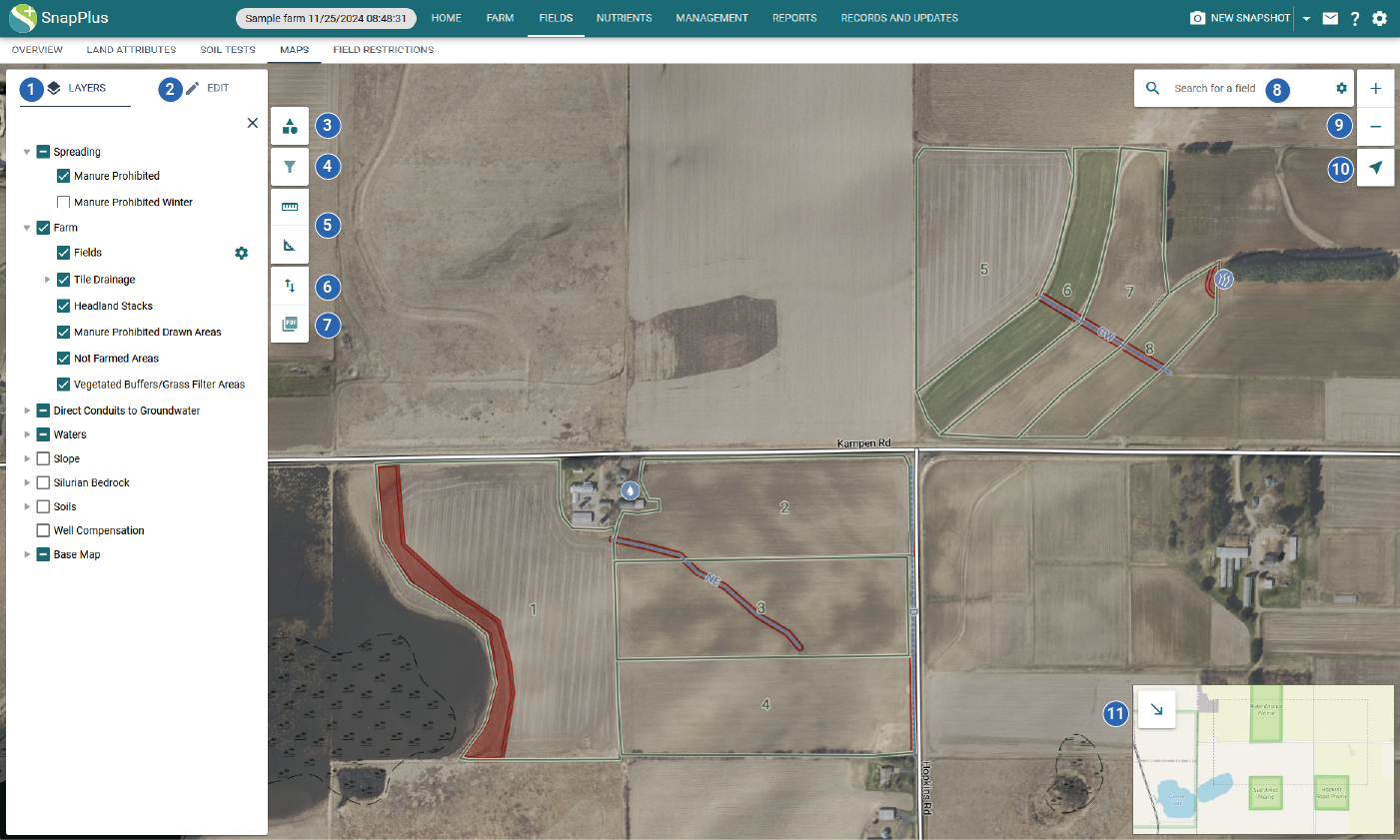
The maps tab is where you can draw the features for a farm, view restrictions spatially, and create PDF maps for your plan.
¶ Map Controls
-
Layers: Control which layers are visible on the map
-
Edit: Draw and modify farm features
-
Map symbols: View symbol for each visible map layer
-
Filter by attribute (under construction): Filter features visible on the map by attribute
-
Measure: Measure distance or area
-
Import and export shapefiles: Upload or download a shapefile of features
-
Export map to PDF: Save the map as a PDF
-
Search: Search and zoom to a field, address, or township
-
Zoom: Zoom the map in or out
-
Geolocate: Zoom the map to your location
-
Overview map: Change the extent of the map to a different location